I’ve been on a learning curve with improving my imaging processing productivity. I have Synology to thank for this, prompting me to ponder the possibilities of big NAS and the associated infrastructure to improve my image processing life. Not just storage and data safety, but productivity. The change has been profound and I can get more work done in less time by an order of magnitude now. While I’ve written about the steps along the way, lets recap.
Synology announced a competition earlier in the year, and I was selected to review the DS225+, a two bay unit with 2.5GbE networking and the promise of at least doubling my image processing throughput when backed up with a 2.5GbE network. This I did and sure enough, the mighty little NAS crushed everything I threw at it. It was a whole lot better than the decade old gear I had been using and could easily be an end game for many.
Having duly reported my experience to Synology, I was very surprised and very pleased to be announced the winner of the competition which came with the beefy DS3622xs+ NAS. This machine is an enterprise class device, holds up to 36 drives, has multiple 10GbE network connections and capacity for 25GbE networking. It’s designed for a lifetime of getting thrashed to death performing thousands of read/write operations per second for years. And now it’s under my desk doing a whole bunch of data management things, but mostly its serving up the image library to both workstations, one Mac, one Windows PC.
Long story short, a bunch of networking gear was acquired to hang it all together. There was a change to 2.5GbE networking initially to connect the DS225+ and workstations, and then later to 10GbE networking, with 10GbE switch, 5GbE for the Mac and 10 for the PC. The Mac requires USB-C adapters, they are still stupidly expensive for 10GbE. 5 GbE is the price sweetspot for these things so that’s what I did there.
The PC got a TP-Link TX401 10 Gigabit PCI Express Network Adapter which required a 1× PCI Express 3.0 x4 slot in the PC. Luckily I had one spare, and plugged it in. Once installed it became immediately obvious this was a big improvement.
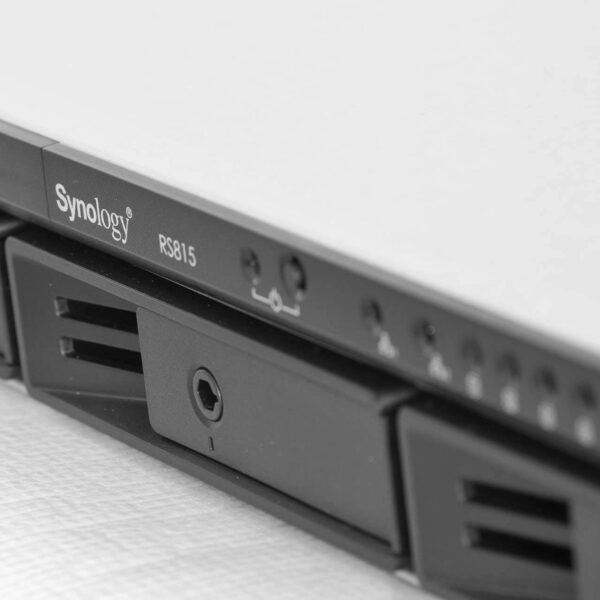
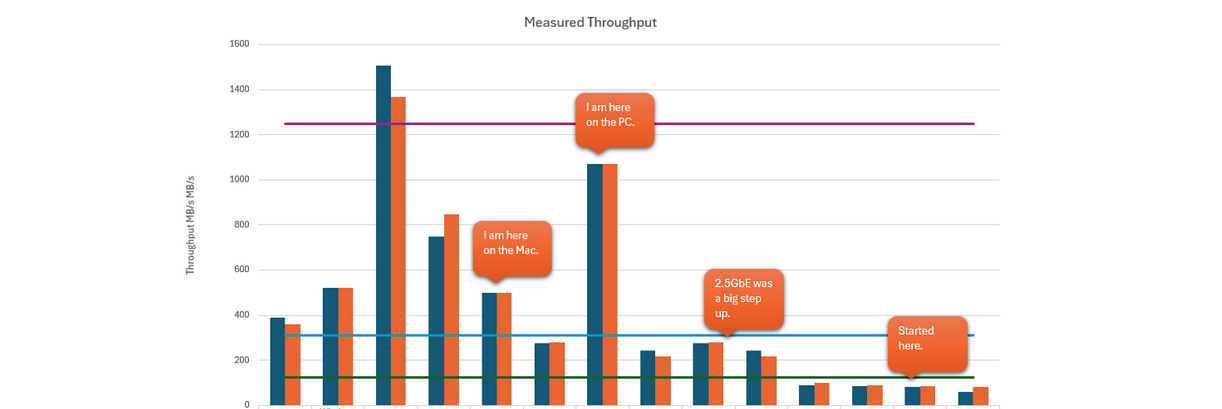
Happy days, right? Well the Mac just worked out of the box and hit the speed limit without any fettling – after I replaced the network cable. The PC however had some unrelated internal issues to be resolved. I swapped over the internal SSD drives and just about doubled the read/write performance. The AJA tool I use to measure has reported some unbelievable numbers, so I have just reported the Samsung’s read/write figures which I suspect are super conservative. Along with the upgraded networking performance the PC now rips and the imaging application is offering zero resistance to getting things done. It’s sensationally fast compared to the DS225+ which was already a big step up from the RS815. Let’s not forget there are 300000 images on the backend of this application – which doesn’t even crack a sweat now with the DS3622xs+ idling along serving up images at warp speed.
I’ve updated the chart to show 10GbE performance and PC pre and post the SSD changes. There’s no objective way to measure application performance, however I’ve been working on a project for which several hundred images have been produced in record time, including some enlargements. Previously this would have taken a long time and I’ve set delivery expectations accordingly. With the new setup I have reduced delivery time by weeks.

If you have a need to get a lot of image processing done quickly and efficiently, it has been my experience that supercharging your network in conjunction with upgrading your network storage is a very good investment. For those working with video I imagine productivity could go through the roof. That is all. Check it out.
Postscript
A few days after writing this I ran some tests with iperf3. This is primarily a troubleshooting and optimisation tool and another way to view throughput. I didn’t use it to measure with the DS225+ because the iperf3 package wasn’t available for that machine at the time.
- Mac reports: 3.92 Gbits/sec equal to 490 MB/s
- PC reports: 9.47 Gbits/sec equal to 1183.75 MB/s
Raw network performance is slightly higher than the file transfer tool I had been using previously to measure. Either way it’s at the top end of expected performance for both 10 and 5GbE and plenty fast.